
Templates
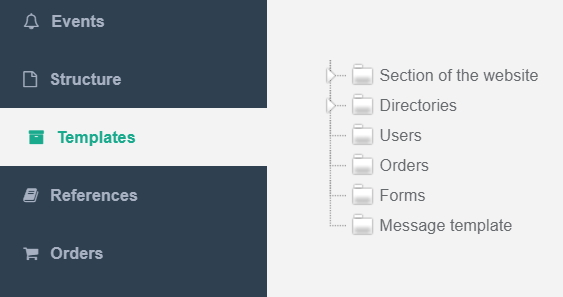
There are 6 main sections in the templates section:
- Section of the website
Child templates in this section apply to pages in structure section.
- Directories
Child templates in this section is refernce. When you create template in this section you create a reference in references section.
- Users
The template applies to all users in users section.
Child templates are not applicable anywhere.
- Orders
The template applies to all orders in orders section.
Child templates are not applicable anywhere.
- Forms
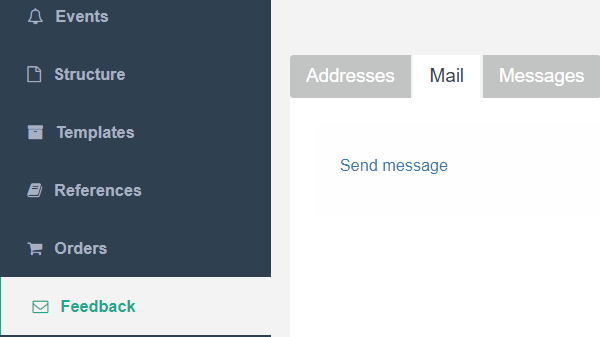
Child templates in this section is message forms. When you create template in this section you create a message form in feedback section in a "Mail" tab.
Example:
- Message template
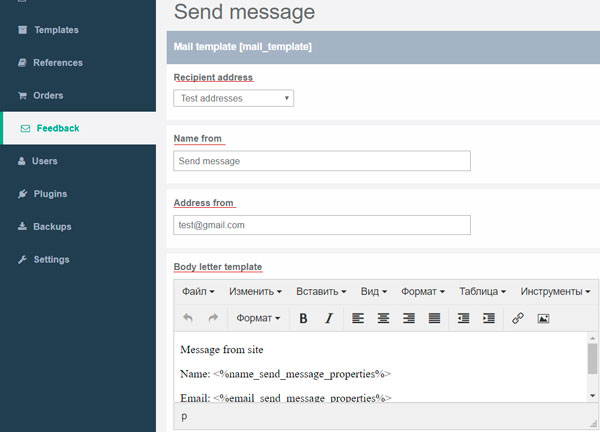
This is a system template. Do not change it. It affects the display of message fields in feedback section.
Example:
On the template page, you can change the template name (button near a name).
Example
Groups
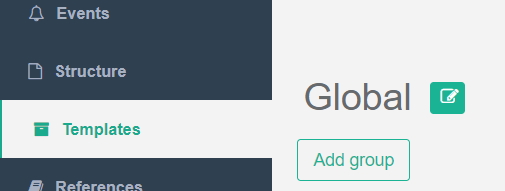
When you click the "Add group" button, the group with the random name and indetifier(text id) is added in the interface.
Click on edit button of this group and write name and identifier as you want.
For identifier use snake case style naming (Example: you_identifier).
Group identifier must be unique in all system.
You can create a new group with the name and identifier matching the existing one in the domain and save template, then the existing group will bind to this template. If you enter another group name, but with an existing group identifier, the group will be applied to this template, and the group name will change to the one specified for all groups in all templates. You can also expand this group at the moment of creating a new add field and they will be added to the existing ones.
Fields
Click the "Add field" next to the group.
The field with the random name, indetifier(text id) and string type is added in the interface.
Example

Field has follow properties:
- Name - name of field
- Identifier - text id of field.
Field identifier must be unique in all system.Naming recomendation - group_name__you_field_name
- Hint - tooltip on the structure page when hovering over the field name
- Type - type of field. Depending on the type of field chosen, you will fill the page field in the structure in different ways and receive the field data in the template.
if you have selected a select or multselect, a field "Reference" will appear, where you should select the directory for this field from the existing ones. Reference values are possible field values.
- Necessarily - required field. If field value is empty you could not save a page.
- Index - If the field is checked, its value is involved in the search results.
After you have checked the fields, Index search in settings section.
- Filter - you can filter pages by this field if it checked. It is done for macros - macro_getPages